Radio Hot Clock: A 60-Minute Template for Small Stations
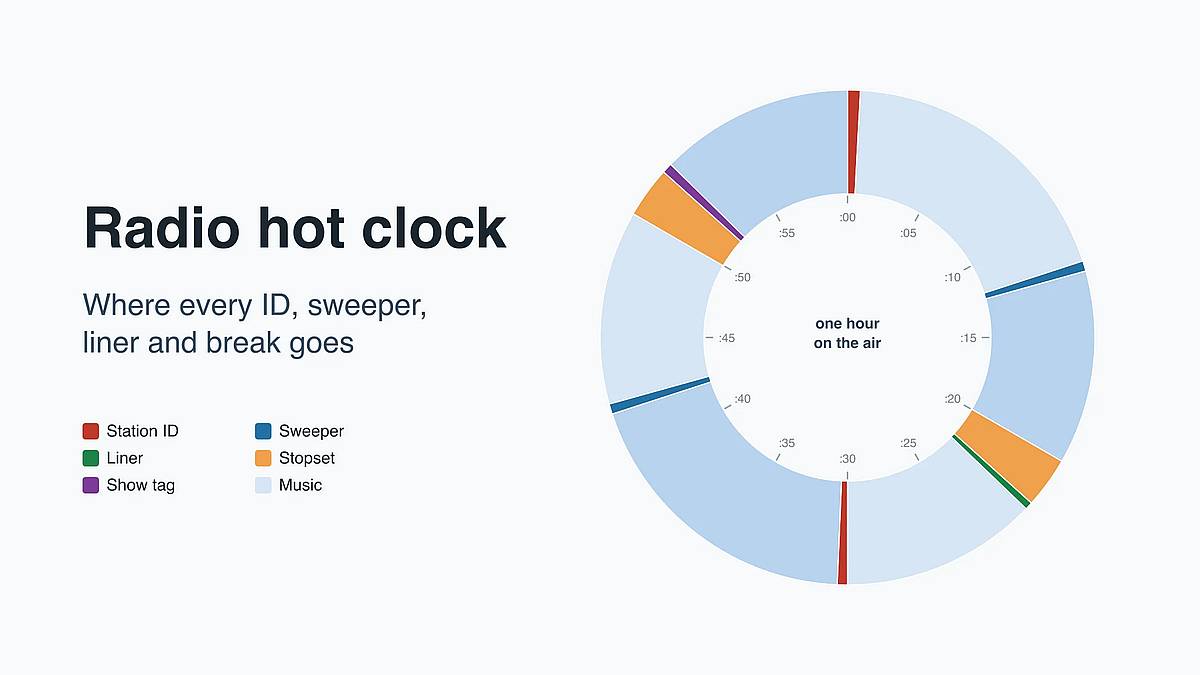
A radio hot clock is a plan of one broadcast hour drawn as a circle, showing the minute at which each station ID, sweeper, liner, ad break and music set plays. Below is a complete 60-minute example for a small or internet station, the reason behind each slot, and how to load the clock into playout software.
Every hour on your clock opens with a station ID. Make yours in a radio voice. Make a station ID → JingleLark is an AI jingle maker that voices your script and mixes it with an intro, a music bed and an outro, ready for the :00 slot. The clock itself runs in your playout software.
What is a radio hot clock?
A hot clock is a template for one type of hour, not a list of songs. The University of Delaware's radio programming notes describe it as a visual plan of when each category of songs is to be played. Playout software takes the wider view: mAirList's documentation describes hour templates as the structure of a whole hour, "also known as a clock", IDs and breaks included. The same plan goes by format clock, clock wheel or broadcast clock.
A hot clock also protects against dead air: when every minute has a planned item, nobody has to improvise a gap. The contrast with a playlist matters once you automate. A playlist names specific tracks. A hot clock names slots, such as "a current hit" or "a station ID", and the playout software fills each slot from a pool. Live365's help center calls its version a ClockWheel and describes it as a template script for generating playlists.
The idea is old. The Museum of Broadcast Communications credits Bill Drake with using a plotted format clock that showed exactly where promos and music should run when he streamlined KYA. Stations rarely stop at one hot clock: the Delaware notes add that programmers build clocks to fit dayparts and audiences, so a morning hour and an overnight hour usually look different.
What does a radio hot clock look like? A 60-minute example
The hot clock below is our example for a music-led small station with two short sponsor breaks. Use it as a starting point and move the minutes to fit your hour.
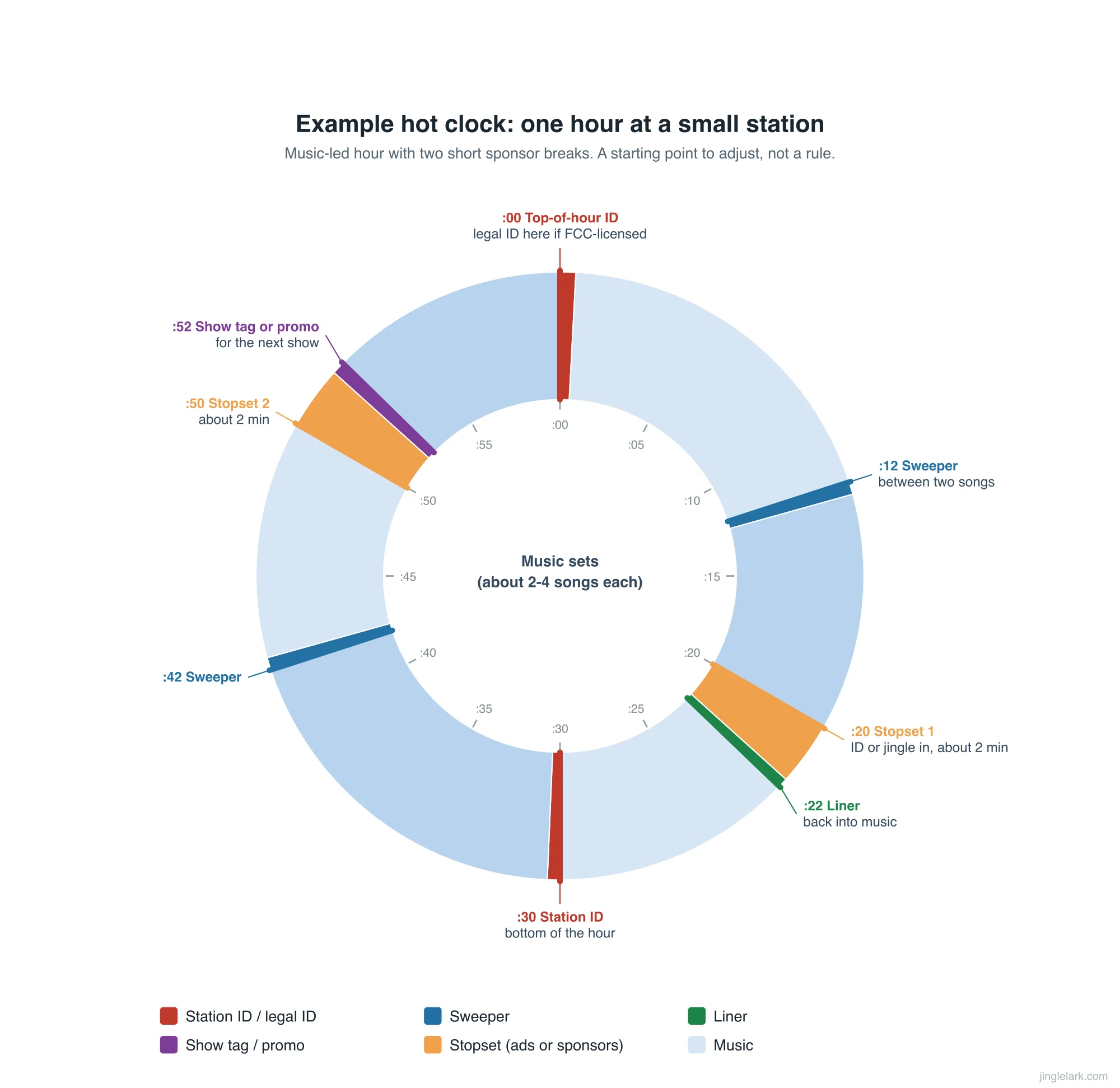
Here is the same hour as a running order, with the reason for each fixed point:
| Minute | Element | Why it sits here |
|---|---|---|
| :00 | Top-of-hour ID (legal ID if FCC-licensed) | A licensed US station must identify close to the hour; every station gets its name heard by people tuning in |
| :00–:12 | Music set, about 3 songs | Your strongest songs go first, so the hour starts on its best foot |
| :12 | Sweeper | Repeats the station name between two songs without stopping the music |
| :20 | Stopset 1, about 2 minutes | Sponsor messages, opened by a short ID or jingle so they sound separate; placed off the quarter-hour |
| :22 | Liner | A spoken line that brings listeners back into music |
| :30 | Station ID | The half-hour ID; most stations add one around :30 as well as at the top of the hour |
| :42 | Sweeper | Same job as :12; use a different cut so it does not repeat |
| :50 | Stopset 2, about 2 minutes | The second break, again away from :45 and the hour |
| :52 | Show tag or promo | Tells listeners what is on next |
| :52–:60 | Music set, about 2 songs | Ends the hour on music so the next :00 ID lands cleanly |
The clock says when the presenter talks, not what they say. For the words in each break, see how to write a radio script.
Download this example as a spreadsheet (CSV) or a printable image and edit the minutes for your station. The order matters more than the exact minutes: fixed points first, then music fills the gaps. For how long each piece usually runs, see our overview of radio imaging.
What goes on a hot clock?
A hot clock holds two kinds of things: fixed elements that play at a set point, and music slots filled from categories. The fixed elements are mostly short imaging pieces, and each one has a different job. The main elements of a radio hot clock are:
| Element | What it is | Typical place on the clock |
|---|---|---|
| Legal ID | The official ID a licensed US station must air: call letters, then community of license | :00 |
| Station ID | A branded ID with the station name and slogan | :00, :30, going into breaks |
| Sweeper | A short voiced piece that bridges two songs | Between songs, every few songs |
| Liner | A spoken line read over an intro or between songs, often a promo | Coming out of a stopset |
| Stopset | A reserved block for ads, sponsor credits or promos; the traffic log decides which spots fill it | Off the quarter-hours; once or twice an hour on a small station like our example |
| Show tag or promo | Names the show or what is coming up | Start of a show, end of the hour |
| Music category | A pool of songs that rotate at a set rate | Every song slot |
Music categories decide how often a song comes back. The Delaware notes list examples such as Power Cuts (the most popular current songs), Recurrents (recent hits) and Golds (older hits). A clock might call for a power song, a recurrent and a gold in turn, and the software picks which song. The smaller a category, the faster each song in it repeats.
If the terms are new to you, our radio imaging glossary explains sweepers, liners and stingers side by side.
Where do the legal ID and station IDs go?
A licensed US broadcast station puts its legal ID at the top of the hour. FCC rule 47 CFR §73.1201 requires identification at the start and end of each time of operation, and "hourly, as close to the hour as feasible, at a natural break in program offerings". The ID is the call letters immediately followed by the community of license. That is why US clocks put the legal ID at or near :00. For the full wording and examples that pass or fail, see our station identification rules.
Internet-only stations are a different case. §73.1201 covers FCC-licensed broadcast stations, so a stream has no call letters to give. In the UK, Ofcom says it does not regulate online-only radio services. Ofcom adds that music on an online station still needs licences from PPL and PRS for Music. For the IDs themselves, Nobex, a streaming platform, notes that most stations play an ID at the top of the hour and another around the half hour.
UK stations with an Ofcom licence have a rule that shapes the clock around breaks. Rule 10.2 of the Broadcasting Code says "Spot advertisements must be clearly separated from programming". Ofcom's guidance on that section lists a pause, a jingle, an ident or an obvious change in presentation style as ways to provide the barrier. An ID going into each stopset is one of those barriers; the guidance also asks that the ad itself not sound like programming.
How much ad time fits in an hour?
No single number fits every station. It depends on what you sell and how much non-music time your format can carry before people leave.
For one concrete case: on Live365, stations on a With Ads package have to schedule four minutes of ads for every hour in their ClockWheels to stay in compliance.
A small community or internet station can carry far less: two short sponsor breaks, as in the example above, or none at all.
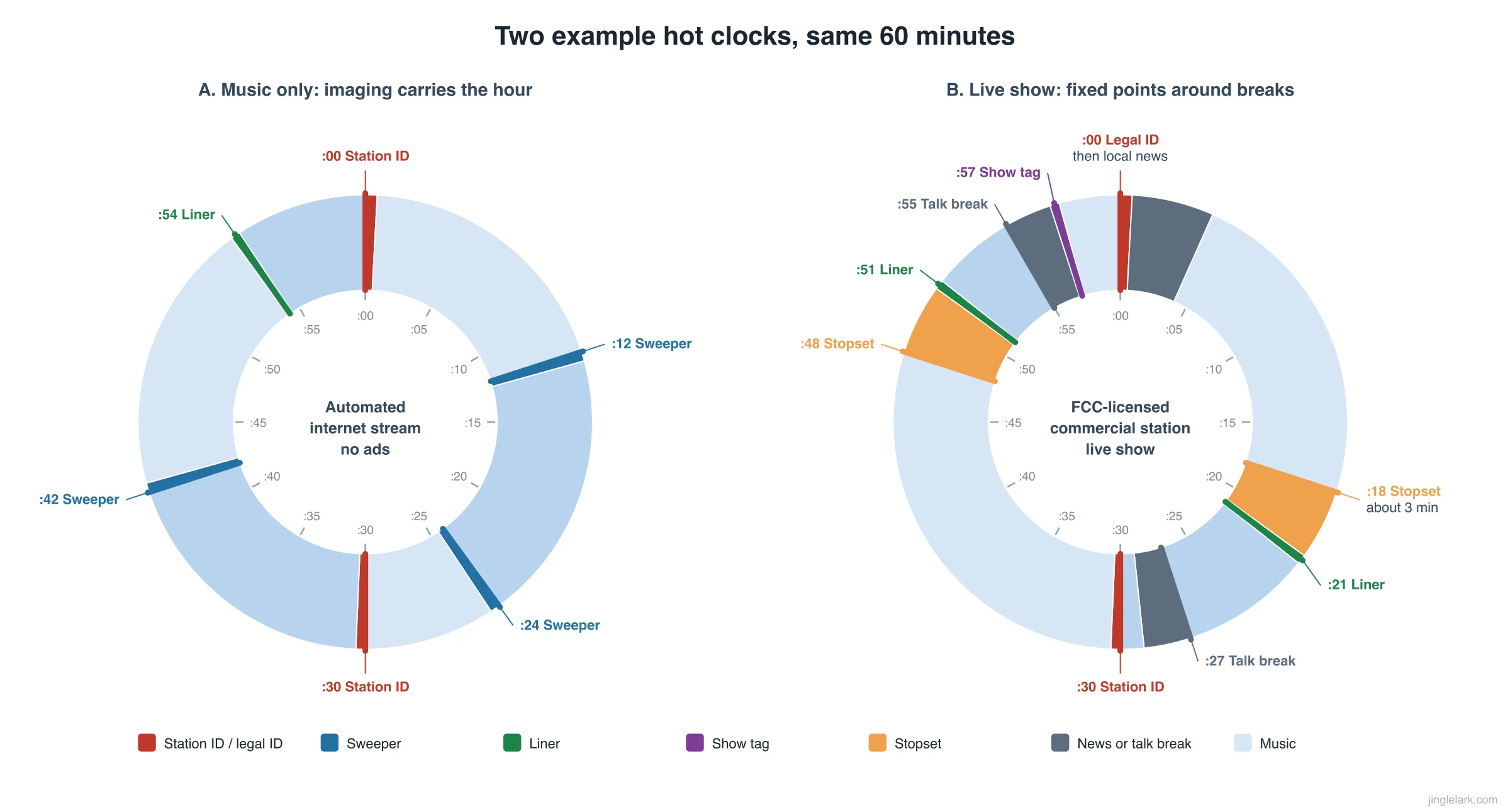
With no ads, imaging carries the hour: IDs at :00 and :30, sweepers every few songs, a liner now and then. With breaks, the fixed points cluster around them: ID in, spots, liner out.
How do you build a radio hot clock?
You build a hot clock from the fixed points inward. Keep the first version on paper or in a spreadsheet, and move it into software once it adds up:
- Mark the fixed points. Put an ID at :00; if you hold an FCC license, make it the legal ID, at a natural break as close to the hour as you can. Add news, a network feed or a live show start if you carry them.
- Place the stopsets. Decide how many breaks and how long. Keep them off :15, :30 and :45: the Delaware notes explain that ratings credit listening by quarter-hour, so most stations avoid breaks at those minutes. If your station is not in a ratings survey, this matters less, but it does no harm.
- Bracket each break. An ID or jingle going in, a liner coming out.
- Add imaging between songs. A sweeper every few songs keeps the name coming round without stopping the music. You can make sweepers in your on-air voice with our radio sweeper generator.
- Fill the gaps with music categories. Alternate strong and weaker categories so no stretch sounds flat, and give each category enough songs for the hours it runs.
- Make it add up to 60 minutes. Count average song length, not your favorite song's length. Then back-time: work backward from :00 so the last song ends close to the hour. Under 60, something has to fill the gap, or you get dead air; over 60, the last slots spill into the next hour.
- Build one clock per daypart. Morning, midday, evening and overnight usually carry different talk and break loads. Most playout software lets weekends get their own.
Then test the hot clock. Play a full hour on your own stream and note whether each ID landed early, late or on time.
How do you load a hot clock into playout software?
Each playout program has its own name for a hot clock, but all of them store the same thing: an ordered list of slots plus rules about time. This table maps your paper clock to five programs small stations use:
| Software | Its name for a clock | Fixed-time items | Different clocks by hour |
|---|---|---|---|
| PlayIt Live | Standard clock (full hour); Partial clock (reusable chunk) | Fixed Time Marker: Hard, Soft or Not Before | A clock grid assigns a clock to each hour of the week; extra layers need the Advanced Scheduling module |
| mAirList | Hour template, with separate music and transition templates | The hour template's order, e.g. station ID at the top of the hour | Different templates by time of day or on weekends |
| AzuraCast | Playlists by type; since 0.24.0, grouped playlists that act like a clockwheel | Scheduled time blocks; "once per X songs / minutes / hour" playlists for interval items | Schedule playlists by time block or date range |
| Live365 | ClockWheel, a list of entries that loops | Events set to Strict (cuts the track) or Flexible (waits) | Recurring events per day and time |
| RadioDJ | Rotations by category, subcategory and genre | Scheduled events for shows and ads | Load saved rotations by event |
Two details trip people up. First, some schedulers loop. A Live365 ClockWheel repeats its entries until the event ends, so the ID lands at :00 only when the event starts on the hour with the ID as the first entry, and only in the first hour unless the loop adds up to exactly 60 minutes. For a fixed :00 ID every hour, schedule one-hour events. Second, hard versus soft timing. In PlayIt Live, a Hard marker cuts whatever is playing to hit the minute; a Soft marker waits for the current item to finish. Live365's Strict and Flexible events work the same way. Use hard timing only where the minute really matters, such as a network join. For a legal ID, back-time the last song so the ID lands at a natural break near the hour.
Your IDs and sweepers also need their own category or type in the software, or the clock cannot find them. Our guide to adding jingles to playout software walks through the import in AzuraCast, RadioDJ, mAirList and PlayIt Live.
Why does a hot clock drift or fail?
Most hot clocks drift or fail for one of five reasons: a category is too small, a category mixes file types, soft timing pushes the ID late, one clock runs all day, or the hour does not add up.
- A category is too small. In Live365's own example, a ClockWheel fails because its "Top 40 Songs" category holds only two tracks, and DMCA and separation rules stop them repeating. Give every category enough songs to cover the hours it runs.
- One category mixes file types. Live365 warns that a category shared by songs and station IDs gives unexpected results. Keep IDs, sweepers and songs in separate groups.
- Soft timing pushes the ID late. If the :00 marker waits for a six-minute song that started at :58, the ID plays at :04. Back-time the last song so it ends before :00, or use a hard marker where a mid-song cut is acceptable.
- One clock runs all day. An overnight hour built around morning-show talk breaks sounds empty. Build one clock per daypart.
- The hour does not add up. A clock planned with long songs runs short when the software picks short ones. Recount with average lengths and keep a short song or two as filler.
Frequently asked questions
Can JingleLark build or run my hot clock?
No. JingleLark makes the voiced pieces that sit on the clock: station IDs, sweepers, show tags and short sponsor spots, mixed with an intro, bed and outro and downloaded as MP3 or WAV. The clock itself is built and run in your playout software. You pay once for credits, with no subscription. See pricing →
Does an internet radio station need a hot clock?
No rule requires one. A hot clock is still the simplest way to make every hour sound like the same station, and it tells your software where the IDs go. If you are still setting up, our guide on how to start an internet radio station covers the steps that come before the clock.
Table of Contents
Author
Categories
Tags
More Posts
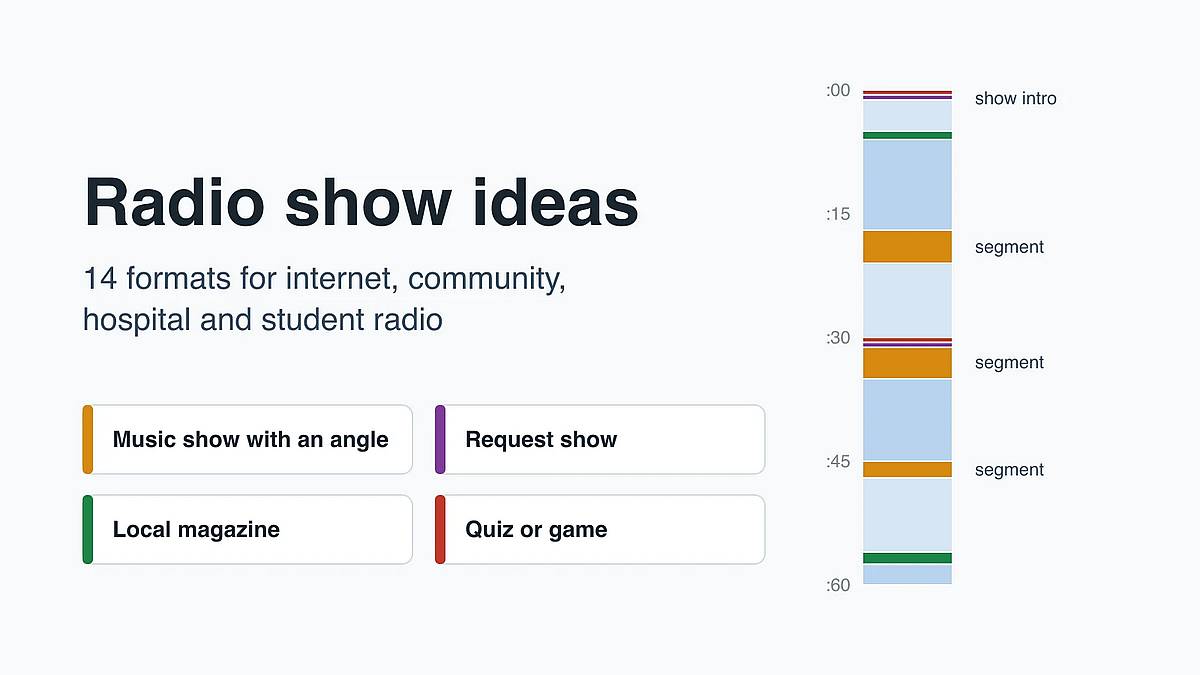
Radio Show Ideas: 14 Formats for Small Stations
14 radio show ideas for internet, community, hospital and student stations, the rule to check before each one airs, and how to lay an idea out as one hour.
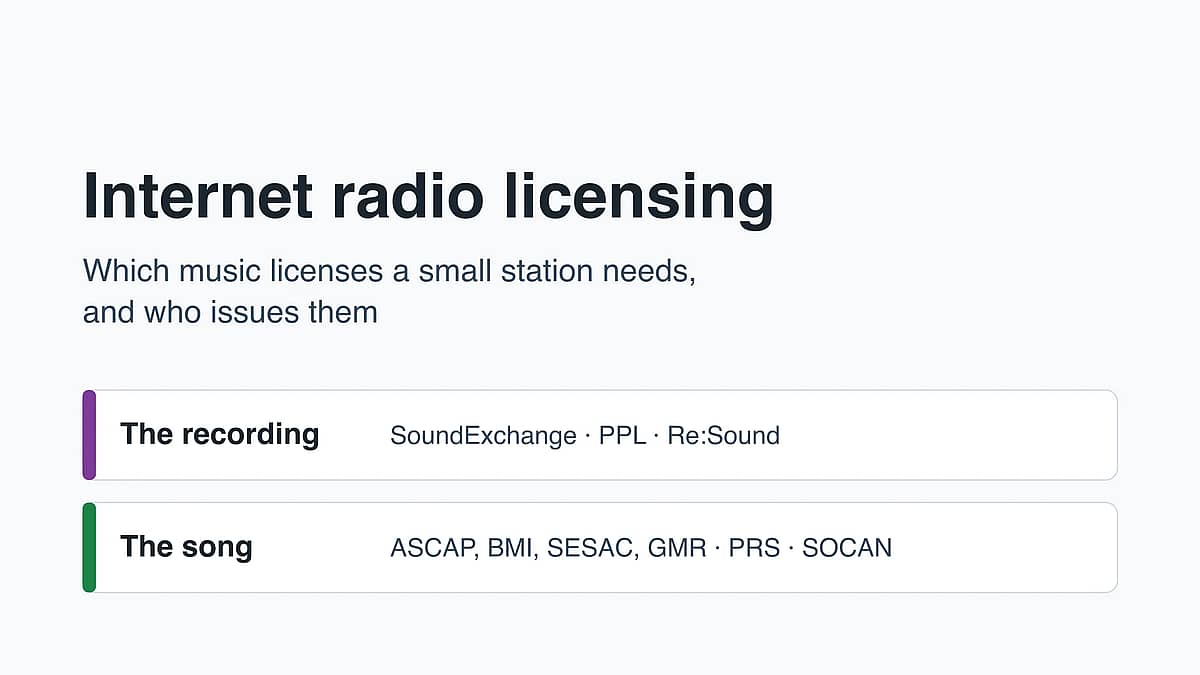
Internet Radio Licensing: Which Music Licenses You Need
Internet radio licensing for small stations: the two music rights, who licenses each in the US, UK and Canada, what stations pay, and when a bundled host fits.